Features
Writing
- Rich-text editor (Tiptap) with headings, lists, quotes, code, links, and images
- Drafts autosave; published posts change only on an explicit Update
- Publish now, schedule for later, unpublish, archive; draft preview links
- Slugs, excerpts, tags (created inline), cover images, per-post SEO overrides
Media
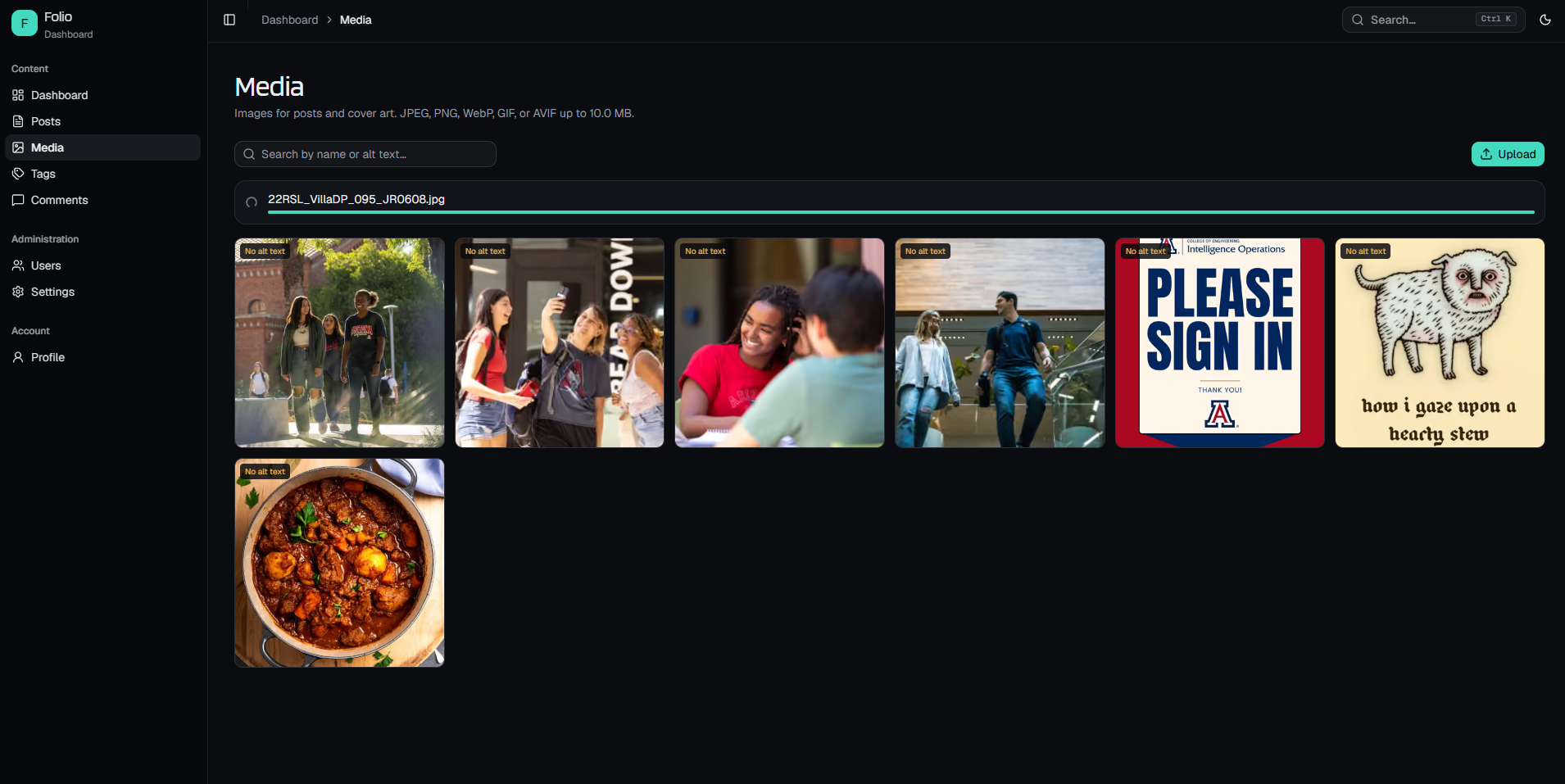
- Drag-and-drop uploads straight from the browser to Cloudflare R2 (presigned URLs)
- Server re-verifies every upload's size and type before recording it
- Library with search, alt text, usage-aware deletion, and a picker in the editor
Public site
- Home, archives, post pages with prev/next and related posts, topics, author pages
- Postgres full-text search with ranked, highlighted results
- Generated Open Graph images, JSON-LD, sitemap, robots.txt, and a full-content RSS feed
- Static generation with incremental revalidation; dark and light themes
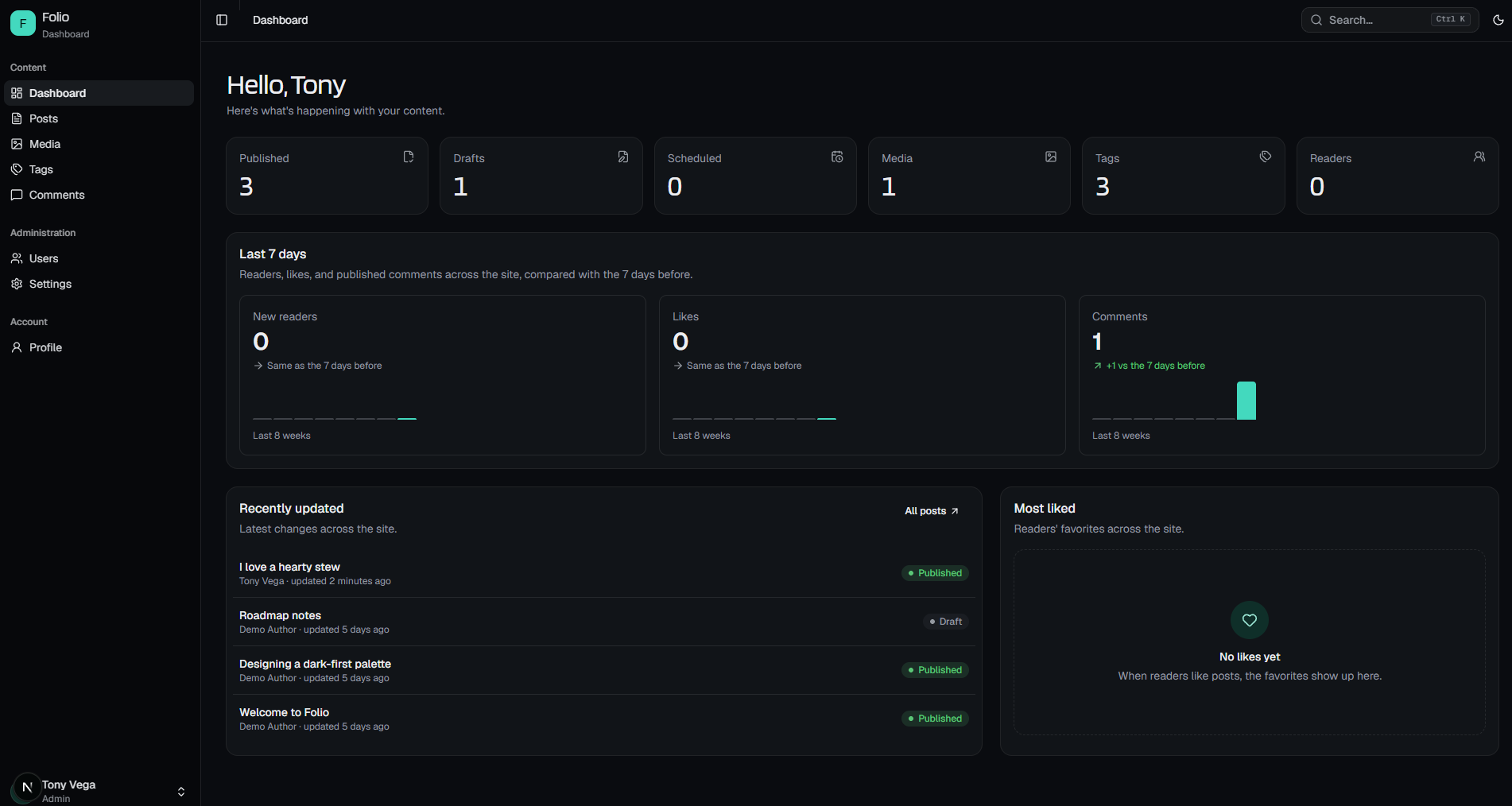
- Likes: signed-in readers like posts (private; only totals are public) and find them again under Account → Liked stories; the dashboard shows likes per post and the most liked
- Comments: plain text with one level of replies, from readers with a confirmed email and the team (badged); held for approval as you choose, moderated under Comments, and listed under Account → Comments
- Moderation tools: blocked words, holding link-heavy comments, reader reports, bulk actions, and bans (with a one-click Spam + ban)
- Email notifications: replies to your comment, new comments on your posts, and a daily digest for moderators, each with one-click unsubscribe
Team
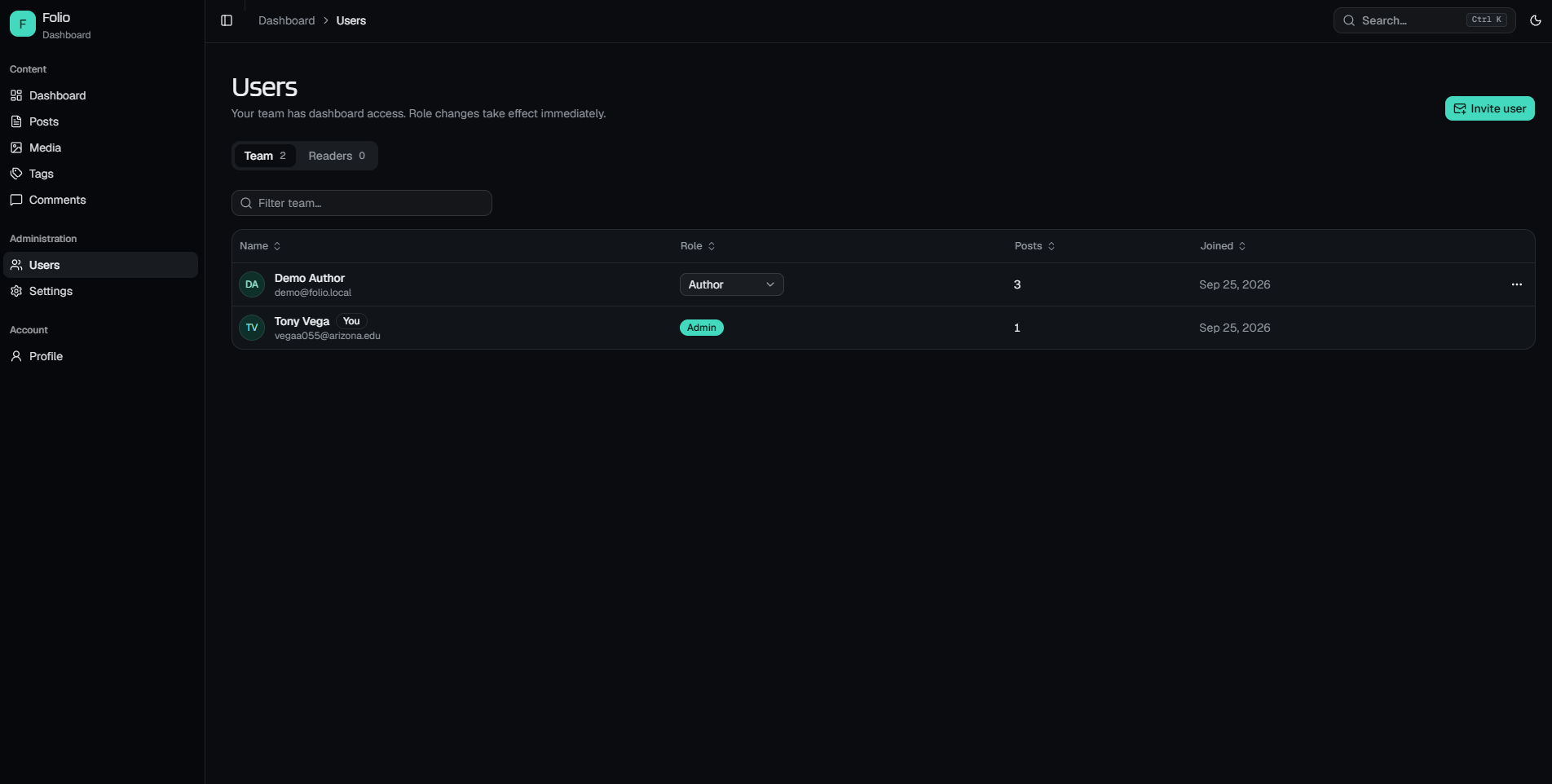
- Roles: admin, editor, author, enforced on every page and server action
- Team members join by one-time, hashed, expiring invite links, copied or emailed
- Optional reader accounts: public sign-up you switch on in Settings; readers never get dashboard access
- Profiles with avatars and public author pages; editable site settings
- Email (Resend): password reset for everyone, email confirmation for readers
- Reader accounts page: display name, email change, password, email notifications, signed-in devices, and account deletion; an account menu in the site header
- Dashboard: content counts, new readers, likes, and comments over the last 8 weeks
Quality
- Unit, database integration, and Playwright end-to-end tests
- CI runs everything against a fresh, disposable Neon database branch per run
- Rate-limited auth, security headers, sanitized content, no unsafe HTML
- Optional Cloudflare Turnstile bot check on sign-up and password reset; passwords found in data breaches are rejected (Have I Been Pwned, k-anonymity)
Tech stack
| Layer | Choice |
|---|---|
| Framework | Next.js 16 (App Router, Server Actions, ISR), React 19 |
| Language | TypeScript |
| Styling / UI | Tailwind CSS v4, shadcn/ui (Radix), next-themes |
| Database | Neon Postgres, Drizzle ORM (HTTP driver) |
| Auth | Better Auth (email/password, optional GitHub OAuth) |
| Editor | Tiptap 3 (stored as JSON, server-rendered) |
| Media storage | Cloudflare R2 (S3-compatible, aws4fetch) |
| Resend (REST API), plain HTML + text templates | |
| Testing | Vitest, Playwright |
| Hosting / CI | Vercel, GitHub Actions |
Architecture
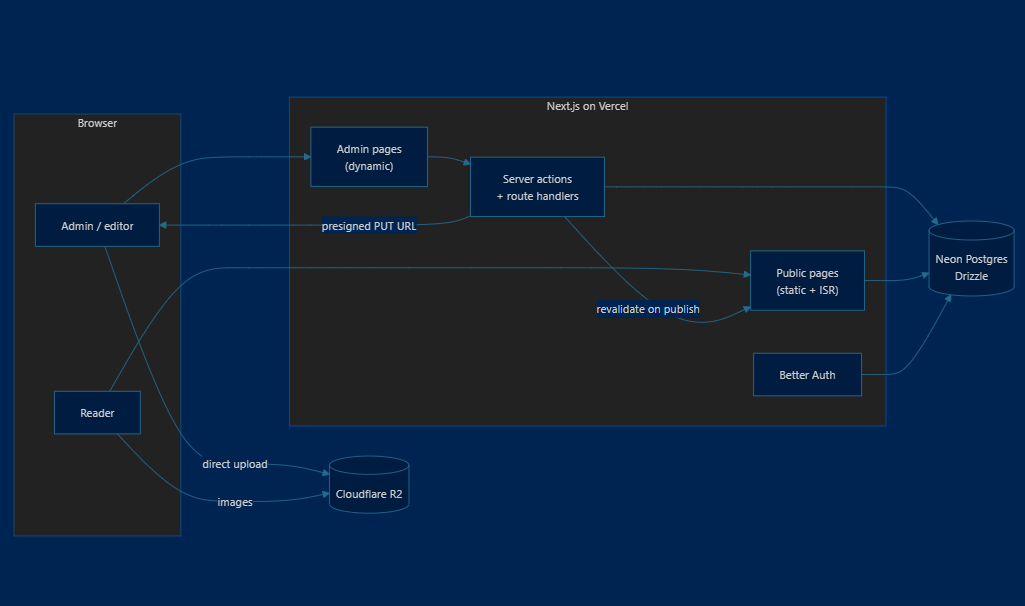
flowchart LR
  subgraph Browser
    Reader[Reader]
    Editor[Admin / editor]
  end

  subgraph Vercel["Next.js on Vercel"]
    Public["Public pages<br/>(static + ISR)"]
    Admin["Admin pages<br/>(dynamic)"]
    Actions["Server actions<br/>+ route handlers"]
    Auth["Better Auth"]
  end

  DB[("Neon Postgres<br/>Drizzle")]
  R2[("Cloudflare R2")]

  Reader --> Public
  Editor --> Admin --> Actions
  Actions --> DB
  Public --> DB
  Auth --> DB
  Actions -- "presigned PUT URL" --> Editor
  Editor -- "direct upload" --> R2
  Reader -- "images" --> R2
Actions -- "revalidate on publish" --> Public- Reads on the public site are static pages, regenerated when content changes and every 5 minutes (which is also how scheduled posts go live without a cron job).
- Writes go through server actions that re-authorize every call, validate with zod, and refresh the public cache.
- Uploads never pass through the app server: the browser PUTs to R2 with a short-lived signed URL, then the server checks what actually landed.
How it works
Authentication and roles
- The first account to register becomes the admin. After that, the team joins through invites (Users → Invite user). Only a SHA-256 hash of the invite token is stored, and links expire after 7 days.
- Readers are a fourth role with no dashboard permissions. Public sign-up is off until an admin turns on Settings → Allow reader sign-up; open sign-up (including first-time GitHub sign-in) only ever creates readers. Admins find them under Users → Readers and can promote them. After signing in, the team lands on the dashboard and readers return to the page they came from.
- Email: anyone can reset a forgotten password by email (Sign in → Forgot password?); resetting signs the account out everywhere. New readers get a confirmation link; they can use the site right away, but need a confirmed address to comment. Invited team members count as confirmed.
- Accounts: everyone signed in has /account (from the header's account menu): display
name, email change (confirmed from the old inbox, then the new one), password (or setting a
first one after GitHub-only sign-in), signing out other devices, and deleting the account
(password required; the last admin can't). Better Auth's
/update-userendpoint is disabled, so profile fields only change through validated server actions. - Bots and weak passwords: with
NEXT_PUBLIC_TURNSTILE_SITE_KEYandTURNSTILE_SECRET_KEYset, sign-up and password reset require a Cloudflare Turnstile check (CI uses Cloudflare's always-pass test keys). Passwords that appear in known breaches are refused on sign-up, reset, and change; only a 5-character hash prefix is sent to Have I Been Pwned. - Roles are checked in every page and server action (
requireSession()/requirePermission());src/proxy.tsis only an optimistic redirect for signed-out visitors. Permissions are defined insrc/lib/auth/permissions.ts. - Sessions aren't cached in cookies, so role changes and removals apply on the next request. You can't change your own role, and the last admin can't be demoted or removed.
- Sign-in, sign-up, and password changes are rate-limited in Postgres (serverless-safe).
Likes
- One like per account per post (
post_likes), removed with the post or the account. Anyone signed in can like; the total is public, but who liked what never leaves the server. - Post pages stay static: the heart loads
GET /api/posts/[id]/likesin the browser and updates instantly, and liking never regenerates cached pages. Each person gets 30 likes a minute. - Account → Liked stories lists your likes, newest first; the dashboard has a Likes column in Posts and a Most liked card (authors see their own posts).
Comments
- Off until an admin turns on Settings → Comments, where you also choose what waits for approval: a reader's first comment (the default; later ones publish straight away), every reader comment, or nothing. The team's comments never wait. Each post has an Allow comments switch in the editor; closing comments keeps existing ones visible.
- Readers need a confirmed email. Comments are plain text (web addresses become
nofollow ugclinks, nothing is rendered as HTML), up to 3,000 characters, 5 a minute and 50 a day per person. Replies go one level deep; answering a reply joins its thread. - Authors can edit a comment for an hour (it's marked "edited") and delete it any time; a comment with replies leaves a "deleted" placeholder. Editors and admins moderate under Comments (Pending / Approved / Spam, with a pending count in the sidebar) and can delete from the post. Staff get an Author or Team badge.
- Approved comments are part of the cached post page, and only that page is regenerated when
they change. Who's reading, their comments awaiting approval, and the controls load from
GET /api/posts/[id]/commentsin the browser. - Account → Comments lists your comments with their status. Deleting your account keeps your comments, credited to "Deleted reader".
Moderation tools
- Held for review: reader comments containing a blocked word (whole words, any case) or with too many links (3 or more by default) wait in Pending, even from readers you've approved before, and so do edits that add them. The queue shows why each comment waits.
- Reports: a confirmed reader can report someone else's published comment (spam, abuse, or something else). It goes back to Pending, hidden from the post until a moderator keeps or removes it; each reader can report a comment once, and the team's comments can't be reported. A hidden comment with published replies shows as "This comment is hidden."
- Bulk actions: select comments to approve, mark as spam, or delete them together, and empty the Spam tab in one go.
- Bans (editors and admins; readers only): Users → Readers → Ban signs the reader out and blocks sign-in and commenting until you unban them. Their comments waiting for review go to spam, and optionally their published ones too. Spam + ban in the queue does all of it from one comment.
Notifications
- Emails for a reply to your comment, a new comment on a post you wrote (team only), and a daily summary of the Pending queue for editors and admins. Each is sent once per comment, only to confirmed addresses, capped at 20 an hour per person.
- Everyone switches them on or off in Account → Email notifications, and every email has a
one-click unsubscribe link (and a
List-Unsubscribeheader) that works without signing in. - The digest is a Vercel Cron job calling
/api/cron/comment-digestdaily at 14:00 UTC; setCRON_SECRETin Vercel to turn it on (the route refuses every call without it).
Content
- Posts are stored as ProseMirror JSON. On save the server validates the document against the editor schema and strips unsafe links and images; pages render it on the server with the same extensions, so no editor code ships to readers.
- Statuses:
draft→scheduled/published→archived. Authors write drafts; editors and admins publish.
Public site
| Route | What | Rendering |
|---|---|---|
/ | Featured post, recent writing, topics | Static, ISR 5 min |
/posts, /posts/[slug] | Archive and post pages | Post pages SSG + ISR |
/tags, /tags/[slug], /authors/[username] | Topic and author archives | ISR / dynamic |
/search?q= | Full-text search | Dynamic |
/feed.xml, /sitemap.xml, /robots.txt | Generated from live content | Static |
Media storage
STORAGE_DRIVER | Where files live | Use for |
|---|---|---|
local | ./.uploads, served at /uploads/… | Local development only |
r2 | Cloudflare R2 bucket (public URL) | Previews and production |
Accepted: JPEG, PNG, WebP, GIF, AVIF up to 10 MB (SVG is excluded because it can carry scripts).
Cloudflare rate-limits r2.dev URLs and intends them for development. For heavier production
traffic, connect a custom domain to the bucket (e.g. media.example.com; this requires the
domain's DNS to be on Cloudflare) and update R2_PUBLIC_URL. Stored media URLs are absolute, so
existing files keep their old URLs until rewritten.
Setting up Cloudflare R2
- Bucket — Cloudflare dashboard → R2 → Create bucket (e.g.
folio-media). - Public access — bucket → Settings → Public access: enable the
r2.devsubdomain or connect a custom domain (recommended for production). Copy the URL. - CORS — bucket → Settings → CORS policy:
[ { "AllowedOrigins": ["http://localhost:3000", "https://your-domain.com"], "AllowedMethods": ["PUT", "GET", "HEAD"], "AllowedHeaders": ["content-type"], "MaxAgeSeconds": 3600 } ] - API token — R2 → Manage API tokens → Create API token with Object Read & Write, scoped to the bucket.
- Configure
STORAGE_DRIVER=r2and theR2_*variables, then restart.
EMAIL_DRIVER | What happens | Use for |
|---|---|---|
console | Printed to the server log and saved to ./.emails (tests read links from it) | Local development, CI |
resend | Delivered through Resend (opens in a new tab) | Previews and production |
Mail to reserved test domains (.local, .test, example.com, …) always goes to the outbox,
so test runs never bounce off Resend. Emails are sent after the response (Next.js after()),
so response times don't reveal whether an account exists, and each address gets at most three
reset or confirmation emails an hour (on top of Better Auth's per-IP limits).
Setting up Resend: add and verify your domain in Resend (it gives you DNS records for SPF
and DKIM), create an API key with sending access, then set EMAIL_DRIVER=resend,
RESEND_API_KEY, and EMAIL_FROM (e.g. welcome@example.com). The sender's display name is
the site name from Settings.
Database
Schema lives in src/db/schema/; migrations in drizzle/. Neon branches: main (production),
dev (local development), and ci-base (an empty branch CI forks from).
Design decisions
- Drizzle over Prisma — SQL-shaped queries, no engine binary, fast serverless cold starts.
- Server Actions over a separate API — one deployable; every action re-checks permissions.
- Direct-to-storage uploads — files never touch the app server; the server verifies after.
- JSON content, server-rendered — structured, sanitizable, and no editor JS for readers.
- ISR + on-demand revalidation — static-fast public pages that update on publish, and scheduled posts without a cron job.